 Board Online
 Flowcharts
 Kanban board
 Whiteboard
 Mind maps
 Graph paper
 Sticky notes
 Retro board
 Draw together
Best collaboration tools for remote teams
Draw on one board with your team, class or client: share a link, no accounts, end-to-end encrypted
Why draw together here
Explaining is easier when everyone looks at the same picture. Start a session, send the link, and whoever opens it draws with you in real time.
For the call you are on
Sketch the idea while you talk and let the team add to it. Every cursor carries its owner’s name, so you can see who is pointing where.
Lessons and tutoring
A teacher and students on one board, with nothing to install and no accounts to set up. Students join from the link on a laptop, tablet or phone.
Technical interviews
Ask a candidate to draw the system: boxes, arrows and notes on an endless canvas. Save the result as an image for the hiring notes afterwards.
A quick sketch with anyone
A client, a friend, a contractor: they open the link and start drawing. Nobody signs up on either side.
Private by design
The drawing is encrypted in your browser before it leaves, and the key stays in the link. Our server stores only what it can’t read.
Shared whiteboards compared
| This collaborative board | tldraw | Zoom Whiteboard | Lucidspark | Excalidraw | |
|---|---|---|---|---|---|
| Starting a shared board | No account | Sign in to share | A free Zoom sign-up | A free sign-up | No account |
| Guests who join by link | No account | No account, as editors or viewers | No sign-in when shared publicly | No account, on Team and Enterprise plans | No account; unlimited collaborators on the free plan |
| On the free plan | Everything | Free | 3 concurrently editable whiteboards | 3 editable boards | One infinite scene, free forever |
tldraw, Zoom Whiteboard, Lucidspark and Excalidraw, from their own pricing, product, blog and help pages in November 2026.
Inviting people to your board
- 1
Name yourself
Type the name others will see next to your cursor. This browser remembers it for next time.
- 2
Start the session
Press Start a session. The panel shows the room link with a Copy button.
- 3
Send the link
Paste it into your call, chat or email. Whoever opens it joins and sees the whole drawing.
- 4
Got a link instead?
Open it, or paste it under Join a room in the panel. A room code works there too.
Before you invite anyone
Whoever has the link can draw
The link is the only way in, and anyone holding it can edit. Send it to the people you mean to invite, and only them.
The key never reaches us
The encryption key sits in the part of the link after #, which browsers don’t send to servers. We keep the room only as encrypted data.
30 days, then gone
A room is deleted 30 days after its last change. There are no backups, so save a file if the drawing matters.
No roles in a room
Every guest can move, edit or delete anything on the board, the same as you. Agree on who draws what if the board is busy.
Leaving is personal
Leave session disconnects only you, and the others keep drawing. Nobody can close the room for everyone.
Your copy stays in the tab
After you leave, the drawing stays in this tab until you close it. A new tab starts with an empty board.
Questions people ask about drawing together
Do the people I invite need to install anything?
No. A current browser on a computer, tablet or phone is enough, and nobody signs up.
Who can see the room link?
The person who started the session sees it in the panel, with a Copy button. Guests came in with the link, so the panel doesn’t show it to them again.
Can I see who is in the room?
Yes. In this room lists everyone, you first, each with the color of their cursor.
Can I change my name during a session?
Yes. Edit Your name in the panel, and the others see the new name at once.
What happens if I reload the page?
In a session, you rejoin the room and get the drawing back from it. Outside a session, a reload of the same tab keeps your board as well.
How do I keep the drawing after the session?
Leave session offers Save as file and Save as image first. The .boardonline file opens here again later, in any browser.
Can someone read our drawing on the server?
No. It is encrypted in the browser with a key from the link, and our server only ever holds the encrypted data.
Invite someone to draw
Type your name in the panel above and start a session.
Run your meeting on these boards too
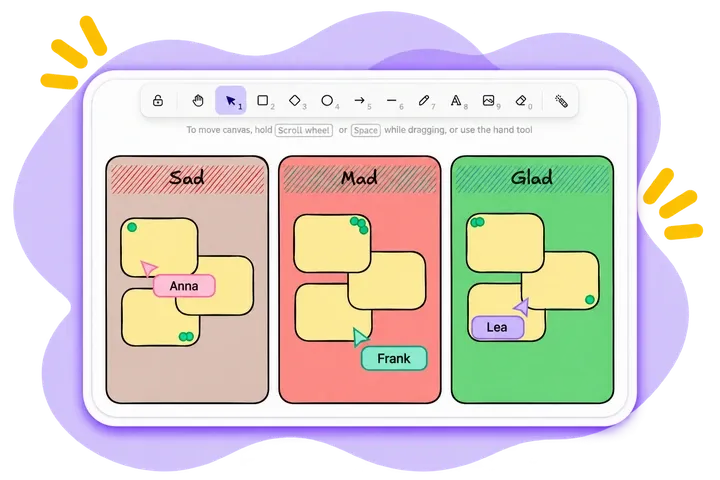

Retro board
Write notes in columns, vote with dots and agree on action items, with a timer for each step.
Open the board
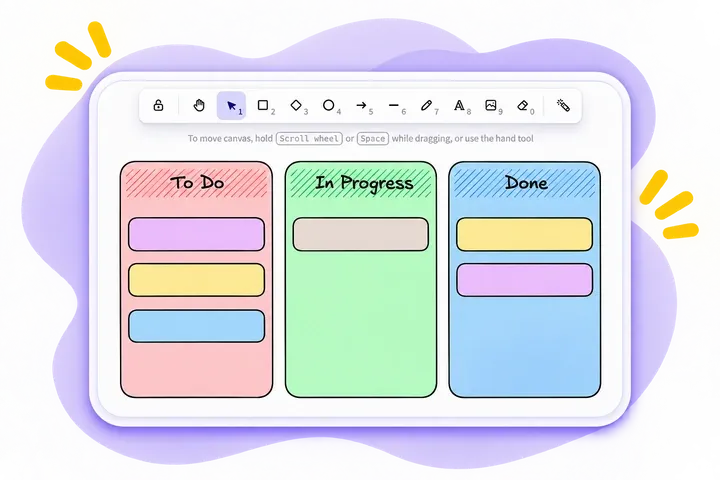

Kanban board
To Do, Doing and Done columns with sticky notes that you move along as the work goes.
Open the board

